
 EN
EN  DE
DE 
We have compiled this tip for developers who work with the Workbench for STM and want to compile their project with C++.
Generate The C code in the STM32CubeMX according to the hardware configuration for the System Workbench for STM32. C++ code generation is not supported here.
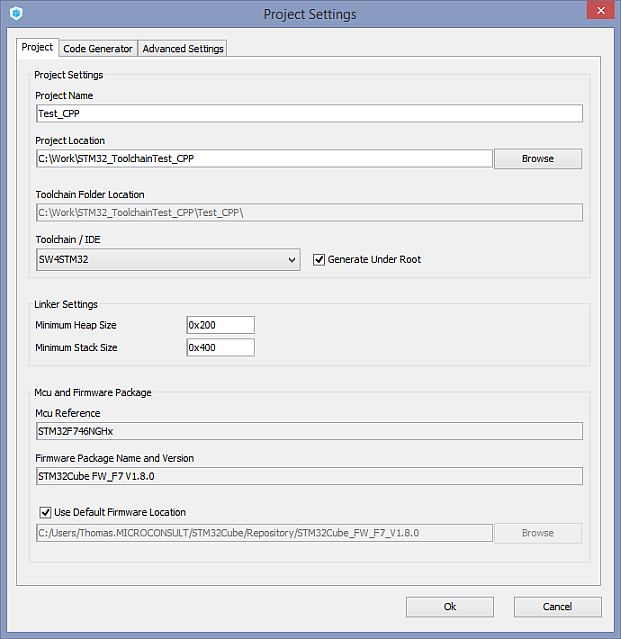
Image 1: STM32CubeMX Code Generation – Project Settings
Open the created project with the System Workbench for STM32 (e.g. by double-clicking on the .project (File in the generated project folder).
Create The project. Error messages may still occur.
Convert Convert the C project to a C++ project using the System Workbench for STM32; use the context menu to do this.
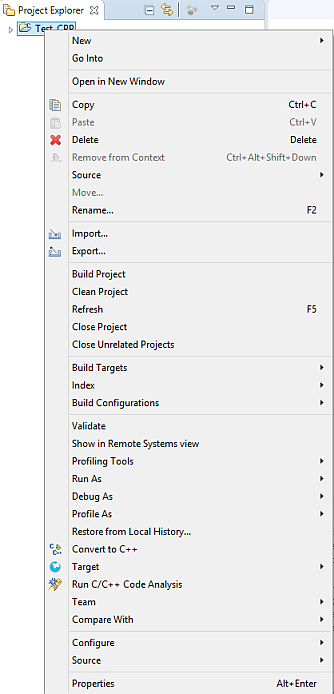
Projekt-Kontextmenü im Projekt-Browser
Image 2: Project context menu in the project browser
Check The C++ project settings (normally nothing needs to be changed). The path settings are automatically copied from the previous C settings.
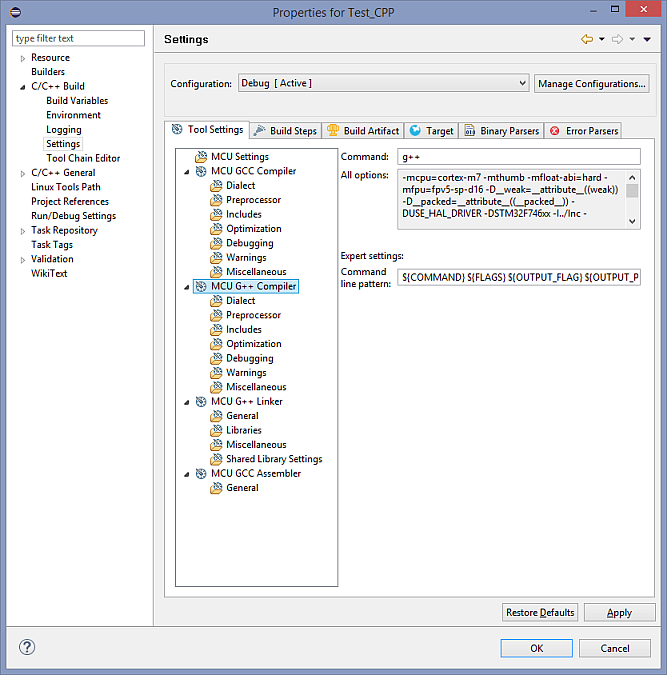
Image 3: C++ Project Settings
Name in the project browser main.c in main.cpp um.
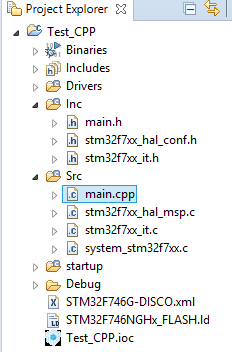
Image 4: Project browser view
Add the following lines in main.h in addition:
…

#ifndef __MAIN_H

#define __MAIN_H

#ifdef __cplusplus

 external ""C" {

#endif

…

#ifdef __cplusplus }

#endif

#endif /* __MAIN_H */
Image 5: Code view main.h
Add the following lines in main.cpp in addition:
… /* Private function prototypes -----------------------------------------------*/

#ifdef __cplusplus

external ""C" {

#endif

void SystemClock_Config(void);

static void MX_GPIO_Init(void);

#ifdef __cplusplus }

#endif

…
Image 6: Code view main.cpp
Clean the The project and its mistakes.
Create The project; no more errors should occur.
However, any potential warning signs should still be checked.
Further information
MicroConsult Training & Coaching on the topic of microcontrollers

